In this article, I will show you how to set up IPTV in the UK step by step. I will also explain the essential information you will need during the setup process. Stay with us to discover more useful information and make your IPTV experience easier.
What Is IPTV and How Does It Work in the UK?
IPTV is a technology or system that allows users to watch TV channels and video content through an internet connection instead of traditional methods such as terrestrial broadcasting, satellite, or cable. It can be used in the UK and is legal when the content is provided with the appropriate permission and broadcasting rights.
What Do You Need Before Setting Up IPTV?
Before setting up IPTV, you will need a strong and stable internet connection, as streaming quality depends on your network performance. You will also need an IPTV subscription with the required login details, such as a service URL, username and password. Finally, you need a compatible device and an IPTV app that supports your service.
How to Choose a Reliable IPTV Provider in the UK
- Check whether the provider has the necessary broadcasting rights or licences.
- Check the quality and stability of the service.
- Make sure the service is compatible with your device.
- Check whether the account setup process is simple and straightforward.
- Make sure technical support is available if you experience any issues.
- Review the subscription terms before paying.
- Check the cancellation and refund policy.
How to Set Up IPTV on your Device
- Choose a reliable IPTV provider and get your subscription details.
- Download an IPTV app that is compatible with your device.
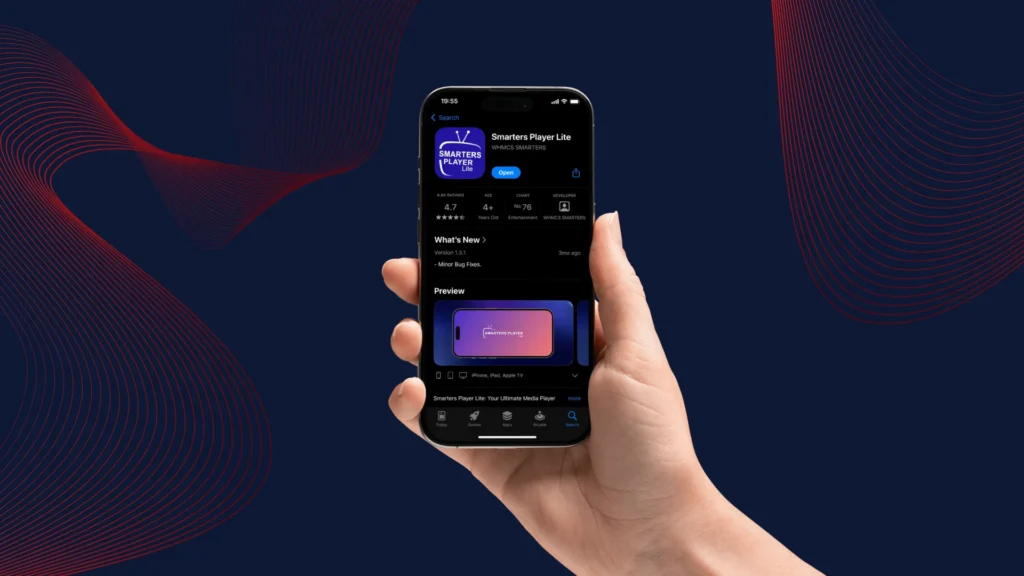
- Open the app and check which playlist formats it supports.

- Select the Xtream Codes option.
- Enter the required details:
- Username
- Password
- Server URL
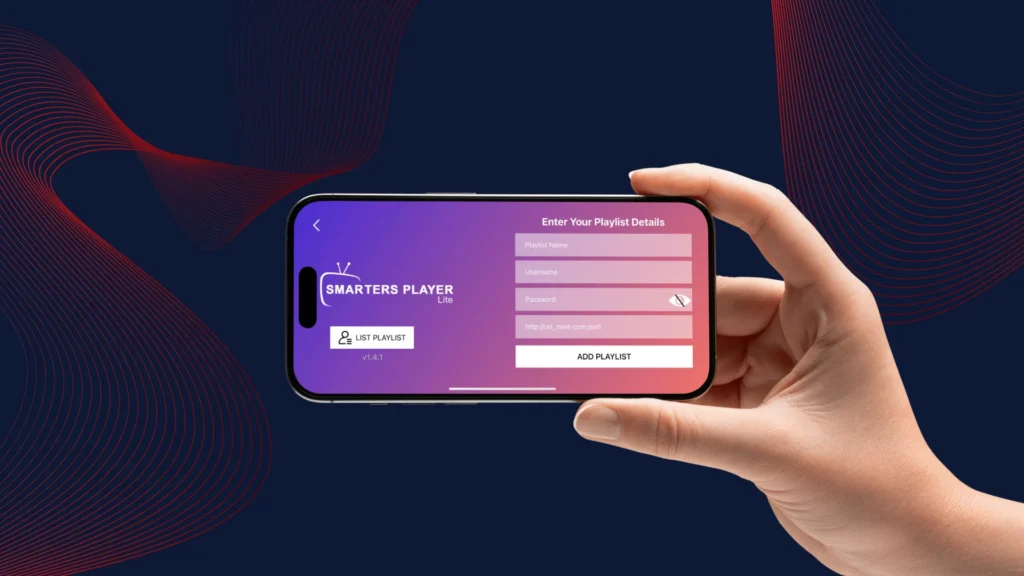
- Add the playlist and wait for the content to load in the app.
- Once everything has loaded, you can start watching your content comfortably.

Best IPTV Apps to Set Up Your IPTV Subscription
IPTV Smarters Pro :
IPTV Smart Pro is considered one of the popular apps used on all devices, as it offers good quality and multiple features such as EPG, Parental Control, and many other features. It is considered one of the best options for adding your subscription.
Tivimate :
TiViMate is an app and media player designed for Android, Android TV, and Smart TV devices. It offers multiple features and allows you to watch content in high quality, especially on TV devices.
IPTV Expert :
IPTV Expert works well on Windows and iOS devices, allowing you to watch content smoothly. It also offers advanced features such as EPG, Catch-up, Picture-in-Picture, and other features.
What Internet Speed Do You Need for IPTV?
A suitable internet connection for IPTV should be fast and stable, especially when streaming high-quality content. A speed of at least 10 Mbps is recommended for smooth streaming and a better viewing experience.
How to Fix Common IPTV Setup Problems
- To avoid common IPTV problems, such as buffering or interruptions at home, first check your internet connection and make sure it is working properly.
- If IPTV still does not work, restart your device.
- Reinstall the IPTV app if the problem continues.
- If the channels do not load at all, check whether your subscription is still active.
- Make sure that all the login details you entered are correct.
- If some content works while other content does not, the issue is likely related to the IPTV service rather than your device.
Is IPTV Legal in the UK?
- IPTV technology itself is legal because it is simply a technology used to display content provided by a distributor.
- The problem arises when you use an illegal service from a provider that does not have the necessary permission or licence to broadcast the content.
- The more you use a reliable and legal service, the more likely your IPTV use is to remain lawful.
- If you use an illegal IPTV service, the viewing itself may be considered unlawful because the provider does not hold the required copyright and broadcasting rights.
Tips for a Better IPTV Streaming Experience
- To get a better and more stable IPTV experience, first use a fast and stable internet connection for high-quality viewing.
- Use an IPTV app that is compatible with your device.
- Use the latest version of the app.
- Update the app from time to time, as well as your device.
- Delete unnecessary apps to free up storage space on the system.
- Most importantly, rely on reliable and licensed services, because the quality of the source and the stability of the technical infrastructure affect the viewing quality.
Conclusion :
Our team has provided you with a complete guide on how to set up IPTV in the UK, along with some of the best apps you can use. We hope you found this article helpful. Don’t forget to share your experience and opinions with us in the comments.