In this article, we will introduce you to some of the best iptv players for Windows, designed to offer a smooth and high-quality viewing experience. Whether you want to watch videos, live channels or online content, these players can help you enjoy better performance, easy navigation and practical features.
Table of Contents
What is an IPTV Player for windows?
An IPTV app for Windows is a media player that lets users watch TV channels, films, series and live content through an internet connection. It usually works with IPTV links such as M3U or Xtream Codes provided by a subscription service. These apps make it easier to organise channels, search for content, use playlists and enjoy a smoother viewing experience directly on a Windows computer.
Why Use an IPTV Player on Windows?
Using an IPTV player on Windows gives you a larger screen, easier navigation and better control with a keyboard and mouse. It is useful for watching live TV, films and series from your own playlist or subscription. Many Windows players also support M3U, Xtream Codes, EPG, favourites and full-screen playback for a more comfortable viewing experience.
How to Choose the Best IPTV Player for Windows?
- Check if the player supports M3U, M3U8 and Xtream Codes.
- Choose an app with a simple and clear interface.
- Make sure it supports EPG if you want a TV guide.
- Look for favourites, search and category options.
- Pick a player that works smoothly with large playlists.
- Check if it supports subtitles and audio tracks.
- Prefer apps with full-screen playback.
- Test the free version before paying.
- Choose a player that matches your Windows device performance.
Best iptv player for windows :
IPTV Smarters pro :
IPTV Smarters Pro is one of the most popular IPTV players for Windows, known for its simple interface and smooth performance. It allows users to add their IPTV subscription using M3U links or Xtream Codes, then watch live channels, films and series easily. The app also supports EPG, favourites, parental control and content categories, making navigation more organised and suitable for beginners as well as regular users.
Pros :
- Easy to install and use on Windows.
- Simple interface, suitable for beginners.
- Supports M3U links and Xtream Codes.
- Offers good viewing quality depending on your internet connection.
- Supports live channels, films, series and EPG.
- Free for basic use.
Cons :
- It does not provide any content directly.
- A separate IPTV subscription is required.
- Streaming quality depends on the IPTV provider.

IPTV Smarters Pro
How to use it :
To see how IPTV Smarters Pro works on Windows, first download the app from the official store.

Once the installation is complete, open the app and check the available options for adding a playlist. Choose the format that suits you best.
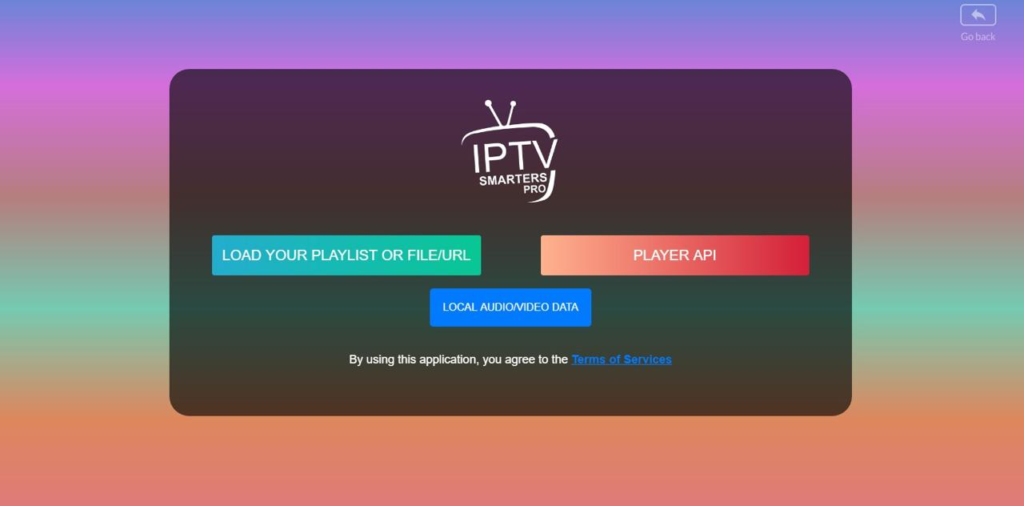
For example, with Xtream Codes, enter a playlist name, then add the username, password and server URL provided by your IPTV provider.

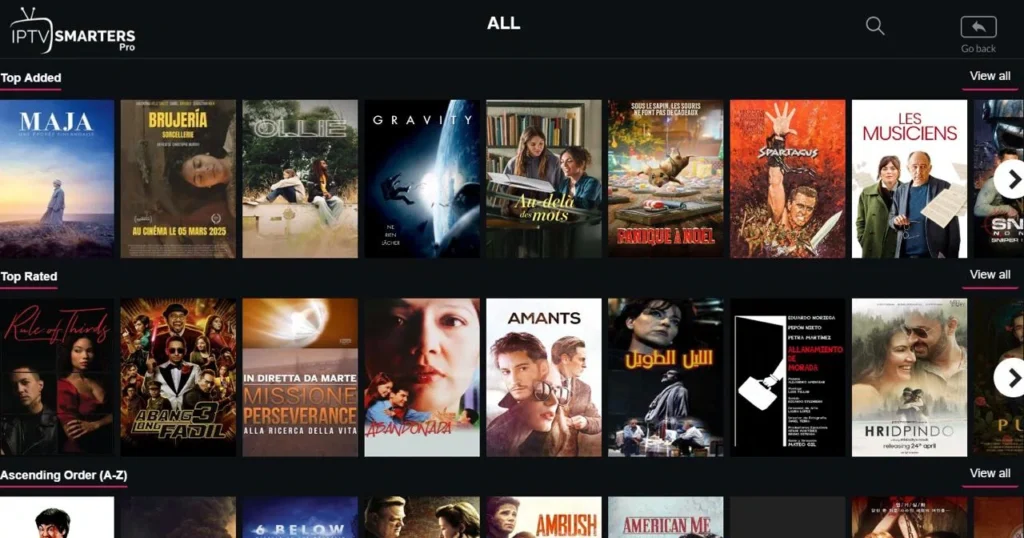
After that, add the playlist and wait for the content to load. Once everything appears in the app, you can start watching.
IPTV Smarters expert :
IPTV Expert is a media player that supports M3U, M3U8, Xtream Codes API and Stalker Portal. One of its main features is Replay, which allows users to watch missed content. It also supports subtitles and lets you add more than one IPTV provider. The app is suitable for watching live TV channels and offers a simple, smooth interface with dark mode support. It also works with Smart TVs and other smart devices.
Pros :
- Supports M3U, M3U8, Xtream Codes API and Stalker Portal.
- Includes Replay to watch missed content.
- Supports subtitles for a better viewing experience.
- Allows users to add more than one IPTV provider.
- Suitable for live TV channels, films and series.
Cons :
- Setup can be confusing for beginners.
- Replay may not work with all providers.
- EPG depends on the IPTV source.
- Large playlists can slow the app.

IPTV Smarters expert
How to use it :
To understand how IPTV Smarters Expert works on Windows, start by downloading and installing the app on your device.

After opening it, you will see different options for adding your IPTV playlist. Choose the method that matches the details sent by your provider, such as Xtream Codes or an M3U link. If you select Xtream Codes, enter a playlist name, username, password and server URL.

Then confirm the details and wait for the channels, movies and series to load. Once the content appears, you can begin watching directly from the app.

IPTV stream player :
IPTV Stream Player is an IPTV app that works well on Windows. It supports different formats, including Xtream Codes and M3U, allowing users to watch live TV channels, series and movies in high quality. The app has a fast and simple interface, with organised sections for live TV, films and series. It also supports EPG, the electronic programme guide, and lets users add their favourite content for quick access. In addition, it can be used in full-screen mode or in a separate window, and it supports a multilingual interface.
Pros :
- Simple and clean interface.
- Easy to add M3U playlists.
- Supports Xtream Codes login.
- Works well on Windows.
- Good for live TV, movies and series.
- EPG support is useful.
- Full-screen mode works smoothly.
- Favourites list makes navigation easier.
- Multi-language support is helpful.
Cons :
- EPG may not work with all providers.
- Large playlists can load slowly.
- Setup may be confusing for beginners.

IPTV stream player
How to use it :
To use IPTV Stream Player on Windows, begin by installing the app on Microsoft store .
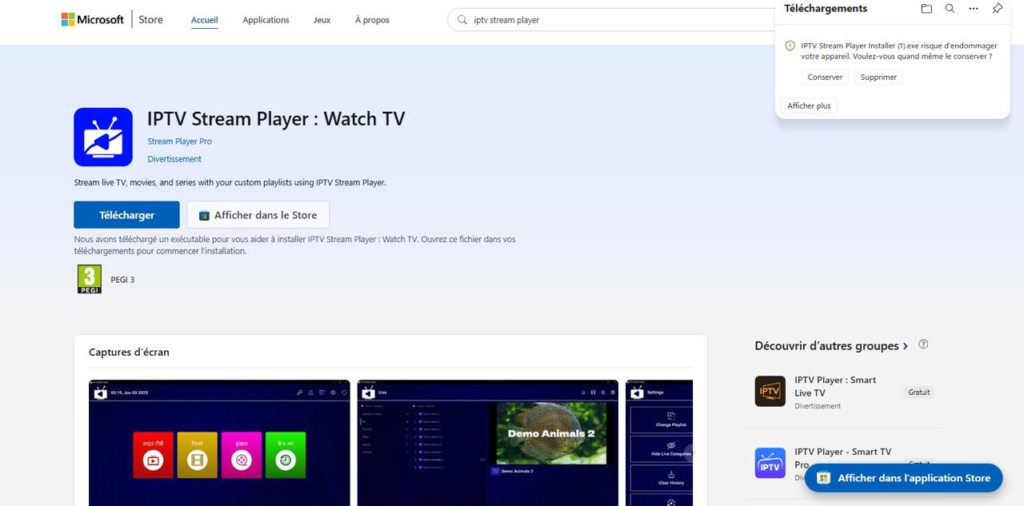
Once opened, the app gives you a clear space to add your IPTV source.
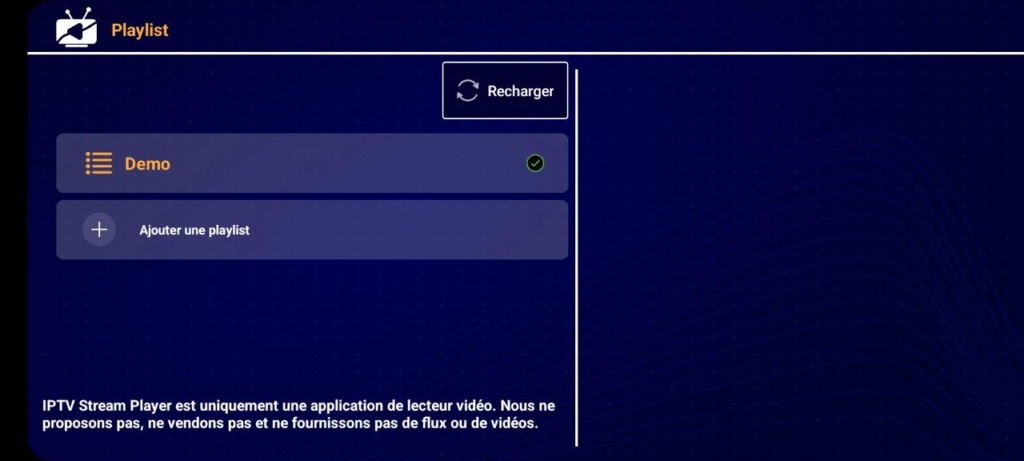
You can choose the method that matches your provider’s details, such as an M3U link or Xtream Codes login.

After entering the required information, save the playlist and allow the app to load the channels, films and series. When the content is ready, you can browse the categories and start watching smoothly.

ALL IPTV Player :
ALL IPTV Player is a suitable app for Windows devices. It allows users to create and manage their own playlists, while also supporting a favourites list for quick access to preferred channels. The app offers a simple interface, making navigation easier for users who want to organise their IPTV content. It can be a practical option for watching live TV through a personal playlist or subscription. However, users need to add their own IPTV source.
Pros :
- Allows playlist creation.
- Supports favourites for quick access.
- Useful for organising IPTV channels.
- Interface is easy to understand.
- Good option for personal IPTV links.
- Can help users manage different playlists.
Cons :
- Features depend on the IPTV source.
- Large playlists may take time to load.
- EPG or channel details may not always appear.

ALL IPTV Player
Ibo Player Pro :
Ibo Player Pro allows users to watch IPTV content by adding an M3U link or using a private subscription from an external provider. It is suitable for watching live TV, VOD, films and series, depending on the playlist added. The app offers a simple interface, making it easier to organise channels and access content. It can be a practical IPTV player for Windows users who want a smooth and flexible viewing experience.
Pros :
- Fast and easy to use.
- Supports M3U playlists.
- Works with Xtream Codes API.
- Good for Live TV and VOD.
- Simple interface for beginners.
- Smooth playback with a good provider.
- Useful on Windows devices.
Cons :
- Does not include channels.
- Needs your own IPTV subscription.
- Interface can feel basic.
- Some features may require payment.

Ibo Player Pro
IPTV player online stream :
IPTV Player – Online Stream is considered one of the modern solutions used to watch different programmes online. It is also suitable for beginners, thanks to its simple design and easy navigation. Users can access live TV or online streams by adding their own IPTV source or playlist. The app offers a practical way to organise content on Windows devices, making the viewing experience clearer and more comfortable for anyone looking for a straightforward IPTV player.
Pros :
- Suitable for beginners.
- Works on Windows devices.
- Good for online IPTV streams.
- Can play live TV with your own source.
- Interface is clear and basic.
- Useful for personal IPTV playlists.
Cons :
- Features may feel limited.
- EPG may not always be supported.
- Streaming quality depends on the provider.
- Some playlists may not load correctly.
- Can buffer with weak internet.

IPTV player online stream
Neutro IPTV Player :
Neutro IPTV Player stands out for its support for films and series, depending on the subscription package added by the user. It also supports IPTV portals and allows users to add more than one portal. The app can display content in high quality, up to 4K, and supports subtitles and different audio tracks. It also includes a favourites feature for quick access, offers an organised interface with easy navigation, and supports Catch-up to watch missed programmes when this option is available from the provider.
Pros :
- Supports Live TV, films and series.
- Allows adding more than one portal.
- Supports high quality up to 4K.
- Includes subtitles and audio tracks.
- Favourites make access quicker.
- Organised interface and easy navigation.
- Catch-up is useful for missed programmes.
Cons :
- Requires your own IPTV subscription.
- 4K depends on the provider.
- Catch-up may not work with all playlists.
- Large portals can load slowly.
- Some users may find setup confusing.
- Buffering can happen with weak servers.

Neutro IPTV Player
VLC media player :
VLC Media Player is one of the most trusted media players for Windows, especially for users who want something free, stable and simple to install. It supports almost every video and audio format without extra codecs, including high-quality 4K files. Many people use it for local videos, music, DVDs and network streaming. Its interface may look old, but its reliability, light performance and ad-free experience still make it a strong everyday choice for many users.
Pros :
- Completely free to use.
- Plays almost all media formats.
- Works well even on older PCs.
- No ads or hidden payments.
- Reliable for local files and streaming.
Cons :
- The interface feels a bit old.
- IPTV setup is not very beginner-friendly.
- No built-in EPG for playlists.
- Some options can feel confusing at first.
- Design is less modern than other players.

VLC media player
Zen iptv Player :
Zen IPTV Player is an IPTV app that focuses on a modern and polished viewing experience. Its interface feels closer to a premium streaming platform than a basic playlist player, which makes navigation more pleasant. It can organise different versions of channels or films, such as SD, HD and FHD, to reduce scrolling. With Zen Access, users can also sync their experience across devices, making it useful for homes with more than one screen easily.
Pros :
- Modern and attractive interface.
- Feels like a premium streaming app.
- Supports 4K, HDR and Dolby Vision.
- Picture-in-picture is useful.
- Good for users with multiple devices.
Cons :
- Some features require Zen Access.
- Sync may not always work perfectly.
- Customisation options are limited.
- Not the cheapest option for all users.
- Best experience depends on paid features.

Zen iptv Player
IPTV PLayer zero :
IPTV Player Zero is designed for users who want more than a simple IPTV playlist reader. It offers live TV, VOD and portal support, while also adding useful extras such as a sports section with scores, fixtures and league tables. The app also supports live TV recording and VOD downloads for offline viewing. With Xtream Codes, M3U and Stalker portals, it gives users several ways to connect their IPTV subscription and start watching with ease.
Pros :
- Includes a useful sports section.
- Supports live TV recording.
- Allows VOD downloads for offline use.
- Works with Xtream Codes, M3U and Stalker.
- Parental PIN control is included.
Cons :
- Sports data may not always be updated.
- Can feel heavy on some PCs.
- Interface may look crowded at first.
- Beginners may need time to understand it.
- Performance depends on device power.

IPTV Player Zero
KODI :
Kodi is a powerful media centre for Windows users who like to customise their entertainment setup. It is free, open source and supports a wide range of add-ons, skins and media sources. Users can manage local files, network storage and streaming from one place, which makes it great for a home theatre system. However, IPTV setup usually needs extra add-ons and manual configuration, so beginners may need some time to understand how it works properly.
Pros :
- Free and open source.
- Very customisable.
- Great for home theatre setups.
- Supports many add-ons.
- Works with local and network media.
Cons :
- IPTV setup can take time.
- Not ideal for complete beginners.
- Some add-ons may stop working.
- Can be slow on weaker devices.
- Needs regular configuration and updates.

KODI
MyIPTV Player :
MyIPTV Player is a practical IPTV player for Windows users who prefer a simple and organised app. It supports M3U playlists and Xtream Codes, with automatic channel grouping when metadata is available. The built-in EPG helps users follow programmes more easily, while the option to choose between VLC and Windows Media Player as the playback engine can improve compatibility. It also supports multiple playlists and VOD downloads, which adds value for offline viewing later too.
Pros :
- Supports Xtream Codes and M3U.
- Built-in EPG is helpful.
- Can use VLC or Windows Media Player.
- Supports multiple playlists.
- VOD downloading adds extra value.
Cons :
- Interface looks quite basic.
- Design feels a little outdated.
- Some streams may buffer.
- No strong 4K optimisation mentioned.
- Setup may need small adjustments.

MyIPTV Player
Xtream IPTV Player :
Xtream IPTV Player is mainly designed for users who connect through Xtream Codes, making the setup quick and direct. After entering the required login details, users can access live TV, VOD and other available content from their provider. The app also supports local media files, which makes it more flexible for everyday use. Its clean interface is easy to understand, but the seven-day trial means users should test it carefully before paid activation first properly.
Pros :
- Easy setup with Xtream Codes.
- Supports live TV and VOD.
- Can also play local media files.
- Clean and simple interface.
- Good for users who want quick access
Cons :
- Paid activation after the trial.
- Trial period is limited.
- Fewer advanced features.
- No offline download option.
- Mainly focused on Xtream users.

Xtream IPTV Player
IPTV Player & LIVE TV SHOWS :
IPTV Player Live TV Shows is built for users who want an easy IPTV experience on Windows without too much configuration. It offers a simple interface and supports a wide range of channels, languages and genres depending on the source added. One useful feature is Miracast support, which lets users cast content to a compatible smart TV. The app is beginner-friendly, but the free trial is short and a VIP subscription may be needed quickly.
Pros :
- Simple for beginners.
- Miracast casting is useful.
- Works with smart TVs.
- Supports many languages and genres.
- Easy to start using.
Cons :
- Free trial lasts only 24 hours.
- VIP subscription is needed quickly.
- Fewer advanced tools.
- Not ideal for users wanting full control.
- Some features may feel limited.

IPTV Player & LIVE TV SHOWS
IPTV Smart Player :
IPTV Smart Player focuses on speed, stability and smooth playlist loading for Windows users. It is designed for people who want a direct IPTV player without too many complicated settings. M3U playlists usually load quickly, and the app aims to reduce buffering and crashes during playback. The seven-day unlimited trial gives users enough time to test performance before paying. While it lacks some advanced options, it remains a good choice for simple streaming on Windows.
Pros :
- Fast playlist loading.
- Stable playback performance.
- Seven-day unlimited trial.
- Simple and direct to use.
- Good for users who want smooth streaming.
Cons :
- Paid activation after the trial.
- Limited advanced features.
- No strong recording tools.
- EPG options may feel basic.
- No cross-device syncing.

IPTV Smart Player
Legal Things to Know Before Using IPTV Players :
- IPTV players are legal when used with authorised content.
- Avoid playlists offering paid channels without permission.
- Use trusted providers with clear licences and terms.
- Free or very cheap premium channels can be risky.
- IPTV players do not usually provide content themselves.
- A VPN does not make illegal streaming legal.
- Always respect copyright rules in your country.
Conclusion :
In this article, our team has tried to present some of the best IPTV players for Windows that work well and offer a high-quality viewing experience. We hope this article has been useful and that you were able to find the right app for your needs. Do not forget to share your opinions and experiences with Windows IPTV apps in the comments.
FAQ :
How to Troubleshoot Common IPTV Player Issues?
If you experience problems with your IPTV player, start by checking your internet connection, as a stable speed is important for smooth streaming. If channels freeze or buffer, try restarting the app, updating your playlist, or clearing the cache. For black screens, changing the video decoder or reinstalling the application can often solve the issue.
What features should I look for in an IPTV player for Windows?
A good IPTV player for Windows should support M3U playlists, Xtream Codes, EPG, and VOD content. Features like 4K playback, subtitles, multiple audio tracks, playlist management, and a simple interface can improve the viewing experience. Hardware acceleration is also useful for better performance and fewer buffering issues.
Are IPTV players legal and safe to use on Windows?
Yes, IPTV players are legal because they only work as media players. The legality depends on the source of the content you add. Always use official services or authorized playlists, and download applications from trusted sources to avoid security risks.
What are the differences between free and paid IPTV players for Windows?
Free IPTV players offer essential features like playlist loading and live TV playback. Paid versions usually provide extra options such as better support, no ads, advanced customization, multi-screen features, and smoother performance. The best choice depends on how often you use IPTV and your personal needs.